
CCleaner editions comparison is one of the most common searches among users trying to figure out whether the Free version is enough or if upgrading actually makes sense. With multiple paid plans available, each offering different features and levels of automation, it’s not always obvious where the real value is. In this guide, we’ll break down how CCleaner structures its Free and paid editions, what you gain as you move up each tier, and which version is best suited to different types of users.
Why CCleaner Still Matters in 2026
PCs today are more powerful than ever, but that doesn’t mean they stay fast on their own. Over time, temporary files pile up, apps add background processes, browsers store excessive data, and startup times slowly creep up. For most users, this doesn’t happen overnight. It’s a gradual slowdown that’s easy to ignore until the system feels noticeably sluggish.
That’s where CCleaner continues to earn its place in 2026.
CCleaner has been around for years, and while plenty of optimization tools have come and gone, it remains popular for one simple reason: it focuses on practical maintenance tasks that everyday users actually need. Clearing junk files, managing startup apps, keeping software updated, and reducing background load are still very real problems on modern Windows PCs.
Another reason CCleaner still matters is convenience. Windows does include built-in cleanup tools, but they’re scattered across menus and often require manual effort. CCleaner brings those tasks into one central dashboard and, in its paid editions, automates most of the work. That “set it and forget it” approach appeals to users who want their system to stay responsive without constant attention.
In this guide, we’ll take a clear, no-nonsense look at the different CCleaner editions available in 2026. We’ll explain how the Free version compares to the paid plans, break down the three paid editions in detail, and help you decide which option actually makes sense for your needs. Toward the end, we’ll also touch on some of CCleaner’s biggest competitors, so you can make a confident, well-informed choice before upgrading.
Overview of CCleaner Editions
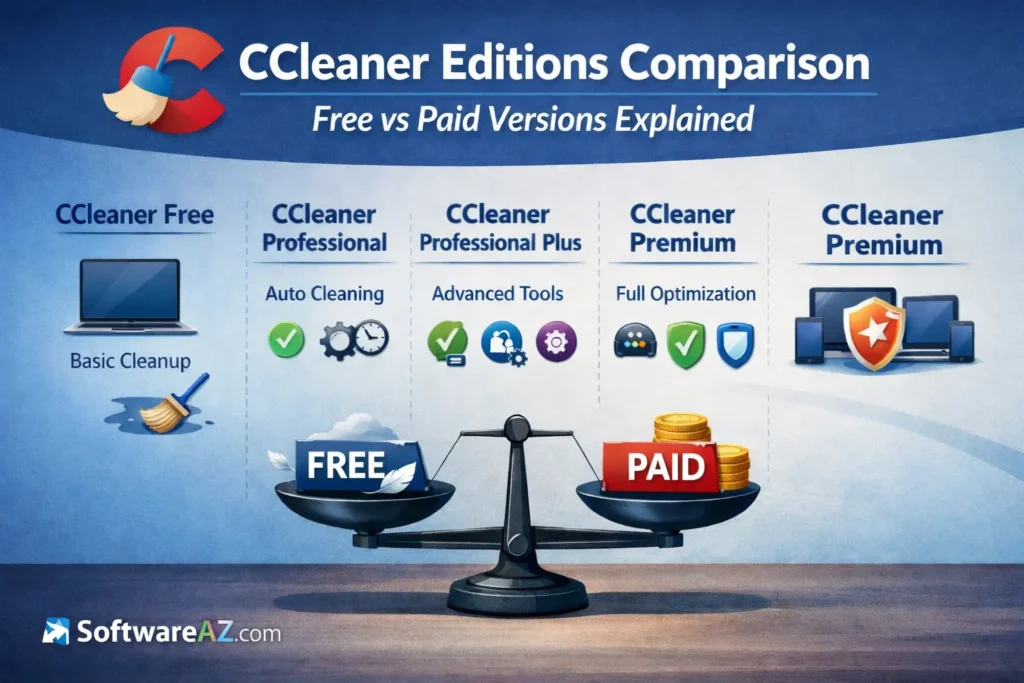
Before getting into a detailed CCleaner editions comparison, it helps to understand how CCleaner structures its plans and what separates each tier at a high level. While all editions are built around the same core idea, keeping your system clean and running smoothly, the experience changes quite a bit as you move from Free to paid.
At its core, CCleaner offers four editions:
- CCleaner Free
- CCleaner Professional
- CCleaner Professional Plus
- CCleaner Premium
The Free edition is exactly what the name suggests. It gives users access to basic, manual cleanup tools with no automation. You run scans when you remember to, clean files manually, and handle maintenance yourself. It’s functional, but limited.
The three paid editions build on that foundation by adding automation, real-time monitoring, and extra system tools. As you move up the tiers, CCleaner shifts from a simple cleanup utility into a more complete system maintenance and performance solution. The biggest differences between the paid plans usually come down to:
- How much is automated
- How many devices are covered
- Which additional tools are included
- The level of support you receive
Another important point is licensing. CCleaner’s paid versions are sold as annual subscriptions, with pricing based on the number of devices covered. This matters if you’re managing more than one PC at home, or if you want to maintain multiple systems without buying separate tools.
In the sections that follow, we’ll break down CCleaner Free vs Professional, then move through each paid plan in detail. By the end, you should have a clear answer to a common question many users ask: which CCleaner version should I buy based on how I actually use my computer?
CCleaner Free vs Paid Editions: What’s the Real Difference?
One of the most common questions people ask before upgrading is simple: is CCleaner worth paying for, or is the Free version enough? To answer that properly, you need to look at how CCleaner Free vs paid versions differ in day-to-day use, not just on a feature list.
What You Get With CCleaner Free
CCleaner Free focuses on manual cleanup. It gives you the core tools needed to remove junk files, clear browser data, and tidy up basic system clutter. For light users, this can be enough.
With the Free edition, you can:
- Manually clean temporary files and caches
- Remove browser history, cookies, and stored data
- Perform basic registry cleaning
- Uninstall unwanted programs
What it doesn’t do is just as important. There’s no automation, no background monitoring, and no alerts when your system starts slowing down. You have to remember to open CCleaner and run it yourself. There’s also no priority support, which means you’re on your own if something doesn’t work as expected.
For users who enjoy hands-on maintenance or only clean their PC occasionally, CCleaner Free can still be useful. But for many people, the limitations become obvious over time.
What Paid Editions Add
The biggest shift when you move to a paid plan is automation. All paid editions of CCleaner are designed to keep your system clean without constant input.
Paid versions introduce:
- Automatic scheduled cleaning
- Real-time monitoring of junk file buildup
- Automatic browser cleaning when you close your browser
- Alerts for outdated software
- Access to customer support
Instead of reacting to problems after your PC feels slow, paid editions focus on preventing performance drops in the first place. This alone is often the deciding factor for users who don’t want to think about maintenance.
Why Most Users Eventually Upgrade
The gap between CCleaner Free vs Professional isn’t about raw cleaning power. It’s about time and consistency. Manual cleaning works, but it relies on habits most people don’t keep.
Paid editions remove that friction. They run quietly in the background, handle routine maintenance automatically, and keep performance stable over the long term. For many users, that makes paying for CCleaner less about extra features and more about peace of mind.
If you’ve ever asked yourself which CCleaner version should I buy, the answer usually starts with how much effort you want to put into maintaining your PC.
CCleaner Professional: Entry-Level Paid Option
For users ready to move beyond manual cleanup, CCleaner Professional is the first step into paid territory. It’s designed for people who want their PC to stay clean automatically, without paying for tools they may never use. In many ways, it represents the biggest practical upgrade in the CCleaner editions comparison.
Key Features
CCleaner Professional includes everything found in the Free edition, plus several features that fundamentally change how maintenance works:
- Automatic PC cleaning based on schedules you choose
- Real-time monitoring that detects junk file buildup
- Automatic browser cleaning when you close Chrome, Edge, or Firefox
- Reduced background clutter without manual scans
- Access to basic customer support
The most important difference here is automation. Once configured, CCleaner Professional works quietly in the background and handles routine cleanup on its own.
Pros
CCleaner Professional has a few clear strengths that make it appealing:
- Significant upgrade over Free with minimal setup
- Helps maintain consistent performance over time
- No need to remember to run manual cleanups
- Affordable compared to higher tiers
For users coming from the Free version, the improvement in convenience is immediate and noticeable.
Cons
That said, CCleaner Professional does have limits:
- One-device license, which may not suit households with multiple PCs
- No driver updater or advanced optimization tools
- Focused purely on cleanup rather than full system management
If you’re looking for an all-in-one maintenance suite, this version may feel a bit narrow.
Best For
CCleaner Professional is best suited for:
- Single-PC users
- Students or home users who want automation
- Anyone comparing CCleaner Free vs Professional and wanting the simplest paid upgrade
If your main goal is to stop thinking about junk files and routine cleanup, CCleaner Professional delivers exactly that without unnecessary complexity.
If you want to see the plans side by side with current offers, this CCleaner Editions Comparison page breaks down all paid options in one place, making it easier to choose the right version for your setup.
CCleaner Professional Plus: Added Tools for Deeper Maintenance
CCleaner Professional Plus is a three-in-1 bundle, including CCleaner, Recuva and Speccy. While CCleaner Professional focuses mainly on automated cleanup, CCleaner Professional Plus expands that scope into broader system maintenance. This edition is aimed at users who want more than just a clean PC. It’s for those who want to actively reduce crashes, improve stability, and manage multiple systems more efficiently.
In a typical CCleaner editions comparison, Professional Plus is often seen as the best balance between features and price.
What’s Included
CCleaner Professional Plus includes everything from the Professional edition, along with several additional tools that address common long-term performance issues:
- Driver updater to keep hardware drivers current
- Software updater to patch outdated applications
- Disk recovery tool for accidentally deleted files
- Coverage for multiple PCs under one license
These tools move CCleaner beyond basic cleanup and into ongoing system health management.
Why These Extras Matter
Outdated drivers are a frequent cause of system instability. They can lead to crashes, poor hardware performance, and compatibility issues after Windows updates. The driver updater helps reduce these risks by keeping critical components current.
The software updater focuses on security and reliability. Outdated apps are one of the most common entry points for vulnerabilities. Keeping them updated automatically lowers that risk and saves time.
The disk recovery tool adds a safety net. While it’s not something you’ll use every day, it can be extremely useful if files are deleted accidentally.
Pros
CCleaner Professional Plus offers several advantages:
- More complete system maintenance than Professional
- Fewer separate tools needed
- Better value for users managing more than one PC
- Strong middle ground in CCleaner pricing and features
Cons
There are a few drawbacks to consider:
- May feel like overkill for very casual users
- Still focused mainly on Windows systems
- More features mean slightly more configuration
Best For
CCleaner Professional Plus is best for:
- Users managing multiple PCs, Mac or Android
- Home users comfortable with deeper system tools
- Anyone comparing CCleaner Professional vs Premium and wanting strong features without the highest price
For many users, this edition hits the sweet spot between convenience, control, and value.
CCleaner Premium: All-in-One Optimization and Protection
CCleaner Premium is the most complete package in the lineup. It’s built for users who want everything handled automatically, with minimal manual involvement and maximum coverage. In any serious CCleaner editions comparison, this is the version positioned as the all-in-one solution.
What Sets Premium Apart
CCleaner Premium includes everything found in Professional Plus, and then goes a step further with advanced performance and support features:
- Performance Optimizer for managing background apps
- Enhanced real-time optimization
- Priority customer support
- Broader multi-device coverage under one subscription
At this level, CCleaner shifts from being a maintenance tool to a proactive performance manager.
Performance Optimizer Explained
One of the standout features in Premium is the Performance Optimizer. It works by identifying applications that run silently in the background and consume system resources even when you’re not actively using them.
Instead of closing these apps completely, the optimizer places them into a sleep mode when they’re idle. This reduces CPU usage, frees up memory, and helps systems stay responsive, especially after long uptimes.
The impact is most noticeable on:
- Older PCs
- Systems with many installed applications
- Machines that stay powered on for long periods
Pros
CCleaner Premium offers several clear benefits:
- Maximum automation with minimal setup
- Consistent long-term performance
- Ideal for multi-device households
- Best support level among CCleaner paid versions
Cons
There are also a few considerations:
- Higher annual cost compared to other editions
- Features may be unnecessary for light users
- Less appeal if you enjoy manual control
Best For
CCleaner Premium is best suited for:
- Power users who want full automation
- Families managing multiple devices
- Users asking is CCleaner worth paying for and wanting the most complete answer
If your goal is to keep your systems running smoothly with as little effort as possible, CCleaner Premium is designed to do exactly that.
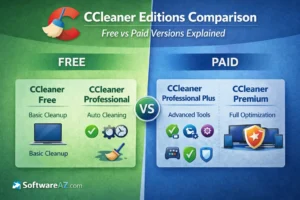
Side-by-Side CCleaner Comparison Table: Feature Breakdown
After looking at each edition on its own, it helps to step back and compare them directly. A side-by-side view makes the differences between CCleaner Free vs paid versions much clearer, especially if you’re trying to decide which plan fits your usage.
Here’s a clean, scannable comparison table you can drop directly into the post. It’s structured for readability, SEO, and buyer decision-making.
CCleaner Editions Comparison Table
| Feature / Edition | CCleaner Free | CCleaner Professional | CCleaner Professional Plus | CCleaner Premium |
|---|---|---|---|---|
| Manual junk file cleanup | ✅ | ✅ | ✅ | ✅ |
| Automatic scheduled cleaning | ❌ | ✅ | ✅ | ✅ |
| Real-time monitoring | ❌ | ✅ | ✅ | ✅ |
| Automatic browser cleaning | ❌ | ✅ | ✅ | ✅ |
| Software updater | ❌ | ❌ | ✅ | ✅ |
| Driver updater | ❌ | ❌ | ✅ | ✅ |
| Disk recovery tool | ❌ | ❌ | ✅ | ✅ |
| Performance Optimizer | ❌ | ❌ | ❌ | ✅ |
| Customer support | ❌ | Basic | Standard | Priority |
| Devices covered | 1 PC | 1 PC | 3 Devices | 5 Devices |
| Best for | Occasional manual cleanup | Automated cleanup on one PC | Deeper maintenance on multiple PCs | Full automation & long-term performance |
How to Read This Table
When comparing CCleaner editions, focus less on the number of features and more on how much work you want to do yourself.
- If you’re comfortable running cleanups manually, Free may be enough.
- If you want automation with minimal extras, Professional is the simplest upgrade.
- If you manage more than one PC and want deeper maintenance, Professional Plus offers strong value.
- If you want everything handled automatically with the best support, Premium is the most complete option.
Below is a breakdown of the most important features you should pay attention to when doing a CCleaner editions comparison.
Key Features Compared
CCleaner Free
- Manual junk file cleanup only
- No real-time monitoring
- No scheduled cleaning
- No software or driver updates
- One device
- No customer support
CCleaner Professional
- Automatic scheduled cleaning
- Real-time junk file monitoring
- Automatic browser cleaning
- One device license
- Basic customer support
CCleaner Professional Plus
- All Professional features
- Driver updater
- Software updater
- Disk recovery tool
- Multi-device coverage
- Improved overall value per device
CCleaner Premium
- All Professional Plus features
- Performance Optimizer for background apps
- Enhanced real-time optimization
- Priority customer support
- Best option for multi-device households
Quick Takeaway
If you look strictly at cleaning power, all versions of CCleaner do the same basic job. The real differences come down to automation, prevention, and scale.
- Free is reactive and manual
- Professional adds automation for one PC
- Professional Plus adds deeper maintenance tools
- Premium focuses on long-term performance with minimal effort
If you’re skimming and wondering which CCleaner version should I buy, this comparison usually points you in the right direction before you even get into pricing.
Which CCleaner Edition Should You Choose?
After going through the full CCleaner editions comparison, the right choice usually comes down to how involved you want to be in maintaining your PC and how many devices you’re managing. The features matter, but your usage habits matter more.
Choose CCleaner Free if…
- You only clean your PC occasionally
- You’re comfortable running manual scans
- You don’t mind handling maintenance yourself
CCleaner Free is functional and safe, but it’s also reactive. It works best for users who already stay on top of system cleanup.
Choose CCleaner Professional if…
- You want automatic cleanup on a single PC
- You’re upgrading from Free and want the biggest convenience boost
- You don’t need extra system tools
For many users comparing CCleaner Free vs Professional, this is where CCleaner starts to feel genuinely helpful on a daily basis.
Choose CCleaner Professional Plus if…
- You manage multiple PCs
- You want tools that help prevent crashes and compatibility issues
- You like having software and driver updates handled automatically
If you’re weighing CCleaner pricing and features, Professional Plus often offers the best balance between cost and capability.
Choose CCleaner Premium if…
- You want everything automated, including background app optimization
- You manage several devices and want one solution
- You’re asking which CCleaner version should I buy and want the most complete answer
Premium is built for users who value time, consistency, and minimal effort over manual control.
Bottom Line
If you’re still unsure, ask yourself one simple question: Do I want to manage my PC, or do I want it managed for me?
Your answer usually points directly to the right CCleaner edition.
CCleaner Pricing and Value for Money
When people compare CCleaner editions, pricing is often the deciding factor. The key thing to understand is that you’re not just paying for cleanup. You’re paying for automation, prevention, and time saved.
CCleaner’s paid plans are sold as annual subscriptions, with pricing that varies based on the edition and the number of devices covered. While exact prices can change throughout the year due to promotions, the structure is consistent: higher tiers include more tools and cover more systems.
From a value perspective, CCleaner Professional is usually the most affordable paid option and works well if you only need automated cleanup on one PC. It’s a straightforward upgrade for users moving from Free who want convenience without extra features.
CCleaner Professional Plus increases the price, but it also expands what you get. Instead of buying separate tools for driver updates, software updates, and file recovery, those features are bundled into one subscription. For users managing multiple PCs, the cost per device often ends up being lower than it first appears.
CCleaner Premium sits at the top of the range. It’s the most expensive option, but it also offers the highest level of automation and the best support. For households with several devices, Premium can be more cost-effective than purchasing multiple single-PC licenses.
When looking at CCleaner pricing and features, the real question isn’t which plan is cheapest. It’s which plan replaces the most manual effort. If keeping your system running smoothly without constant attention matters to you, the paid versions can offer solid long-term value.
Biggest CCleaner Competitors Worth Considering
While CCleaner remains one of the most recognized names in PC maintenance, it’s still worth looking at a few strong alternatives. Each competitor takes a slightly different approach to system optimization, and depending on your priorities, one of them may be a better fit.
Below are some of the most notable CCleaner competitors to consider.
AVG TuneUp
AVG TuneUp is built around automatic performance optimization and background maintenance. It focuses on keeping systems responsive with minimal user input.
Strengths:
- Strong real-time optimization features
- Clean, beginner-friendly interface
- Integrates well with AVG’s security products
Limitations:
- Fewer advanced manual controls
- Pricing can feel high for single-PC users
AVG TuneUp is best for users who want performance improvements without digging into system settings.
IObit Advanced SystemCare
Advanced SystemCare by IObit takes a feature-heavy and aggressive optimization approach. It offers a wide range of tools aimed at squeezing as much performance as possible from Windows systems.
Strengths:
- Large collection of optimization and cleanup tools
- Appeals to advanced users
- Frequent updates and tuning options
Limitations:
- Interface can feel overwhelming
- Pop-ups and upsell prompts may distract some users
This option suits users who like hands-on control and detailed system tweaks.
Norton Utilities Ultimate
Norton Utilities Ultimate focuses on system performance and stability, backed by the Norton brand’s long-standing reputation in security software.
Strengths:
- Reliable cleanup and optimization tools
- Good system monitoring features
- Trusted brand for many users
Limitations:
- Best value when bundled with other Norton products
- Less flexible than some competitors
It’s a solid choice for users already invested in the Norton ecosystem.
If you want to see how the software performs on modern hardware, we documented the entire testing process, including system specs, scan categories, and process impact ratings.
👉 Explore our detailed Norton Utilities Ultimate test results
iolo System Mechanic
Made by iolo, System Mechanic is aimed at users who want deep system optimization and detailed performance tuning.
Strengths:
- Strong real-time performance boosting
- Advanced repair and cleanup features
- Useful diagnostic tools
Limitations:
- Interface may feel complex for casual users
- Higher-tier plans needed for full functionality
This PC optimization and maintenance software suite is designed to improve system performance, stability, and overall computer health. It is available in three editions: System Mechanic, System Mechanic Pro, and System Mechanic Ultimate Defense.
Ashampoo WinOptimizer
WinOptimizer by Ashampoo combines cleanup, tuning, and privacy tools in a well-organized interface that balances simplicity and depth.
Strengths:
- Clear layout and explanations
- Good mix of automation and manual tools
- Often available as a one-time license
Limitations:
- Less emphasis on real-time monitoring
- Some features feel less polished
How CCleaner Compares Overall
Compared to these competitors, CCleaner stands out for its ease of use, conservative optimization approach, and strong automation in paid editions. It may not be the most aggressive or feature-packed option, but for many users, its focus on safe, consistent performance makes it a dependable choice when evaluating CCleaner paid versions in 2026.
Still deciding which plan makes sense? This CCleaner Editions Comparison page shows what’s included in each paid edition and helps you upgrade with confidence based on your actual needs.
Final Thoughts: Is CCleaner Still Worth Paying For?
After going through this full CCleaner editions comparison, one thing is clear: CCleaner is no longer just a basic cleanup tool. In 2026, it’s a layered product that scales from simple manual cleaning to fully automated system maintenance.
The Free version is still useful, especially if you only clean your PC occasionally and don’t mind doing things manually. It’s safe, familiar, and gets the job done for light use. That said, it’s also limited. There’s no automation, no background monitoring, and no protection against gradual performance decline.
The paid editions are where CCleaner starts to shine. CCleaner Professional removes the need for manual cleanup and keeps a single PC running smoothly with minimal effort. Professional Plus adds meaningful system tools that help prevent crashes, reduce security risks, and manage multiple PCs more efficiently. Premium goes a step further by actively managing background apps and offering the highest level of support.
So, is CCleaner worth paying for? For users who value time, consistency, and convenience, the answer is often yes. The paid versions don’t just clean your system, they help keep it performing well without constant attention.
The best approach is to match the edition to how you actually use your computer, not just to the number of features listed. If you want hands-off maintenance and predictable performance, upgrading to a paid CCleaner plan can be a practical, long-term choice.