Consumer software has changed dramatically over the past two decades. We’ve moved from boxed programs and one-time installs to cloud-connected apps, continuous updates, and subscriptions that follow us across devices. Yet despite all this change, the core purpose of consumer software remains the same: to help people work, communicate, create, manage, and enjoy their digital lives more easily.
The Software That Still Shapes Everyday Digital Life
In recent years, a lot of attention has shifted toward artificial intelligence and automation. While those technologies are influencing how many apps work behind the scenes, they are not the main focus of this guide. Instead, this article looks at the foundational categories of consumer software — the types of programs people actively choose, install, and use every day, regardless of whether AI features are present or not.
Understanding these categories matters for several reasons. For everyday users, it helps cut through marketing noise and makes it easier to choose tools that actually fit real needs. For creators, developers, and small businesses, it highlights where long-term demand still exists. And for anyone managing multiple devices, subscriptions, and services, it offers a clearer picture of how modern software ecosystems are organized.
Across laptops, smartphones, tablets, and even smart TVs, most consumer applications still fall into a relatively small number of functional groups. These groups define how people store files, stay productive, connect with others, manage money, protect devices, and relax after a long day. While individual apps come and go, the categories themselves remain remarkably stable.
In the sections that follow, we break down ten major pillars of consumer software — focusing on what each category includes, why it remains relevant, and how it continues to evolve. The goal is not to rank specific products, but to provide a practical framework for understanding the software landscape that surrounds modern digital life.
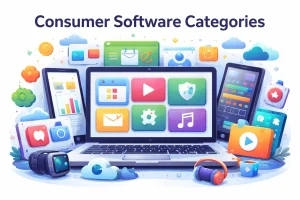
Top Consumer Software Categories (2026)
- Operating Systems (OS) & System Utilities
Software that runs on and manages consumer hardware — desktops, laptops, tablets, phones, and wearables.
Examples: Windows, macOS, iOS, Android, Linux distros; file managers, backup tools, device optimization. - Security, Antivirus & Privacy Protection Software
Software designed to protect devices, accounts, and personal data from malware, phishing, fraud, identity theft, and unauthorized access.
Examples: antivirus programs, internet security suites, firewalls, identity protection tools, password managers, VPN software, anti-phishing and web protection tools. - Productivity & Office Suites
Tools for creating, editing and managing documents, spreadsheets, presentations, and notes.
Examples: Word processors, spreadsheets, calendars, PDF editors, note apps. - Communication & Collaboration
Messaging, email, VoIP, and conferencing software used for social, personal, and remote-work communication.
Examples: Messaging apps (chat, SMS), video calls, group chats, email clients. - Web Browsers & Internet Tools
Software for accessing and navigating the web, plus utilities that enhance online experiences.
Examples: Browsers, VPNs, download managers, ad blockers. - Entertainment & Media
Apps and players for consuming digital content (audio, video, books, games).
Examples: Music and video players, e-book readers, digital comics, media libraries. - Games & Interactive Software
Consumer games and gaming platforms that run across devices from mobile to consoles to PC.
Examples: Mobile games, PC/console titles, game launchers, casual puzzle games. - Social Platforms & Networking Clients
Apps that let users connect with communities, share content, and engage socially.
Examples: Social networks, microblogging, forum clients, social media companion apps. - Personal Finance & Budgeting
Software to manage money, track spending, and plan budgets — often integrated with banking data.
Examples: Budgeting tools, expense trackers, bill reminders, tax prep helpers. - Health & Wellness Apps
Consumer apps focused on physical and mental well-being, tracking health data and daily habits.
Examples: Fitness trackers, sleep trackers, meditation timers, diet logs. - Creative & Multimedia Tools
Software for editing or producing visual, audio, or creative content.
Examples: Photo editors, video editors, drawing/painting apps, digital music creators.
Operating Systems & System Utilities
At the foundation of every digital device is its operating system. Whether it’s a desktop computer, laptop, phone, tablet, or even a streaming box, the operating system controls how hardware and software work together. It manages memory, storage, networking, security, and how applications interact with the device — making it the most critical layer of consumer software.
For most users, this means familiar platforms such as Windows, macOS, Android, iOS, and ChromeOS, along with various Linux distributions for those who prefer open-source environments. While these systems differ in design and philosophy, they all aim to provide a stable, secure, and user-friendly way to access apps, files, and online services across multiple devices.
Closely tied to operating systems are system utilities — specialized tools that help maintain, protect, and optimize devices over time. These include backup software, disk cleanup tools, startup managers, driver updaters, firewall controls, and performance monitoring apps. While many basic utilities are built into modern operating systems, third-party tools remain popular for users who want deeper control, more automation, or additional safety features.
One of the biggest shifts in recent years has been the move toward continuous maintenance rather than occasional fixes. Instead of waiting for problems to appear, modern utilities focus on ongoing optimization, background backups, and proactive security. This reflects how dependent people have become on always-connected devices for both personal and professional tasks.
Another important trend is the growing overlap between device types. Operating systems increasingly share design concepts, app stores, and cloud services, allowing users to move between phone, tablet, and computer with minimal friction. File syncing, password management, and cross-device notifications are no longer premium extras — they are expected parts of the core experience.
Security also plays a much larger role than it did in the past. Built-in protections such as encryption, secure boot, and malware defenses are now standard, but many consumers still rely on additional utilities for privacy controls, identity protection, and advanced threat monitoring. As more personal data lives on local devices and cloud accounts, system-level protection remains a top priority.
In practical terms, operating systems and system utilities determine how long devices stay usable, how safe personal data remains, and how smoothly everyday tasks run. While users may spend most of their time inside apps, it is this underlying software layer that ultimately decides how reliable, secure, and responsive those apps can be.
Security, Antivirus & Privacy Protection Software
Security software is designed to protect devices and personal data from digital threats such as malware, phishing, ransomware, and unauthorized access. While operating systems now include basic protection features, many consumers still rely on dedicated security applications for broader coverage, more advanced controls, and ongoing threat monitoring.
This category includes antivirus programs, internet security suites, firewalls, identity protection tools, password managers, and privacy-focused utilities that block tracking or secure online connections. Some products focus narrowly on malware detection, while others bundle multiple protection layers into a single platform designed to safeguard both devices and personal information.
One reason this category remains highly relevant is the increasing variety of threats that target everyday users. Email scams, malicious websites, compromised downloads, and fraudulent payment pages continue to evolve, often exploiting human behavior rather than technical vulnerabilities. Security software helps reduce exposure by detecting suspicious activity before damage occurs.
Another key trend is the expansion beyond traditional virus scanning. Modern security platforms often include web protection, real-time behavioral monitoring, secure browsing tools, and identity alerts that notify users if personal data appears in known data breaches. This shifts security software from reactive cleanup to continuous risk prevention.
Privacy protection is also becoming more closely tied to security. Many consumers now expect tools that block tracking, limit data collection, and protect accounts from unauthorized access. Features such as VPN integration, password vaults, and privacy dashboards help users manage their digital footprint more actively.
Ease of use plays an important role in this category. Because security tools often run in the background, they must provide strong protection without slowing systems or overwhelming users with technical warnings. Clear alerts, automatic updates, and minimal performance impact are essential for long-term adoption.
In everyday computing, security software serves as a quiet safety layer that most people only notice when something goes wrong. Yet its role is critical, especially as more financial transactions, personal communications, and sensitive records move online. For many households, dedicated security software remains one of the most important investments in their digital environment.
Productivity & Office Suites
Productivity software is where many people spend a large part of their digital day. These are the tools used to write documents, manage schedules, organize tasks, prepare presentations, and store important notes. While the idea of an “office suite” once referred to a small bundle of desktop programs, today it represents a much broader ecosystem of apps that work across devices and browsers.
This category includes word processors, spreadsheet tools, presentation software, PDF editors, note-taking apps, calendars, and task managers. Some users prefer all-in-one suites that cover most needs in a single subscription, while others build their own setups by combining lightweight, specialized tools that focus on doing one job extremely well.
One of the biggest changes in productivity software has been the expectation of seamless syncing and access anywhere. Documents no longer live on a single computer. Instead, they follow users across phones, laptops, and tablets, allowing work to continue whether someone is at a desk, commuting, or collaborating remotely. Offline access is still important, but cloud backup and version history are now considered basic features rather than advanced extras.
Collaboration has also become central to modern productivity. Real-time co-editing, shared folders, and comment systems make it easier for students, families, and small teams to work together without sending files back and forth. At the same time, many users still value privacy and local control, which is why standalone desktop tools and encrypted note apps continue to attract loyal audiences.
Another notable trend is the shift away from massive, feature-heavy programs toward more modular workflows. Instead of relying on a single application for everything, people increasingly mix task managers, calendar apps, document editors, and file organizers that integrate loosely but remain independent. This approach offers more flexibility and lets users choose tools that fit their habits rather than forcing them into a single platform.
From a practical standpoint, productivity software plays a major role in how efficiently people manage both work and personal responsibilities. Whether it’s tracking assignments, planning budgets, running small businesses, or organizing household projects, these tools reduce friction and mental overhead. In many cases, they become long-term digital companions that store years of personal and professional history.
Despite constant design changes and new delivery models, the core goal of productivity and office software remains simple: help people get things done with less effort and fewer distractions. As long as digital tasks remain central to daily life, this category will continue to be one of the most essential parts of the consumer software landscape.
Communication & Collaboration Software
Communication software is the digital backbone of modern social and professional life. These are the tools people use to send messages, make calls, hold meetings, and stay connected with friends, family, classmates, and coworkers. While communication once revolved mainly around email and phone calls, it has expanded into a wide range of real-time and asynchronous channels that support both casual conversations and structured collaboration.
This category includes email clients, instant messaging apps, voice-over-IP services, video conferencing platforms, and group communication tools. Many of these now combine several functions into a single app, allowing users to switch between text, voice, and video without changing platforms. For consumers, this means fewer barriers to starting conversations, regardless of location or device.
One major expectation today is reliable cross-device continuity. Messages should appear instantly on phones, tablets, and computers, and conversations should resume seamlessly after switching devices. This level of synchronization has become essential for people who move frequently between personal and work contexts throughout the day.
Security and privacy have also become central concerns. End-to-end encryption, secure authentication, and clear data-handling policies are no longer niche features — they are increasingly viewed as basic requirements. At the same time, users expect communication apps to remain simple and responsive, without sacrificing performance for excessive features.
Another important shift is the rise of asynchronous communication. Instead of requiring everyone to be online at the same time, many tools now support voice notes, shared workspaces, threaded discussions, and file-based collaboration that allows participants to contribute when it suits their schedules. This flexibility is especially valuable for remote teams, international families, and online communities.
Collaboration features often extend beyond conversation itself. Shared calendars, task assignments, document previews, and integration with productivity tools turn communication platforms into lightweight coordination hubs. For many users, these apps become the central place where planning, discussion, and decision-making happen together.
In everyday life, communication software supports everything from casual chats and family group messages to virtual classrooms and customer support interactions. As personal and professional communication continues to blend, the demand for tools that are dependable, secure, and easy to use remains strong. Regardless of new trends in digital interaction, the need to connect clearly and consistently with other people ensures this category will always be fundamental to consumer software.
Web Browsers & Internet Tools
For many users, the web browser is the most frequently used application on any device. It serves as the gateway to websites, cloud apps, streaming platforms, online shopping, and social networks. In practice, a large portion of modern software runs directly inside the browser, making it one of the most important pieces of consumer software, even when people don’t think of it that way.
This category includes traditional web browsers as well as tools that enhance or protect online activity, such as virtual private networks (VPNs), ad blockers, content filters, download managers, and privacy-focused extensions. Together, these tools shape how fast, safe, and comfortable the overall internet experience feels.
Performance and stability remain major priorities. Users expect pages to load quickly, videos to stream smoothly, and multiple tabs to stay responsive without draining battery life or system resources. As web applications become more complex, browsers must balance speed, security, and memory usage across a wide range of devices, from powerful desktops to entry-level smartphones.
Privacy has also become a defining factor in how people choose their browsing tools. Built-in tracking protection, cookie controls, and private browsing modes are now standard features rather than optional add-ons. Many consumers also rely on external tools to block intrusive ads, prevent fingerprinting, and secure connections when using public Wi-Fi networks.
Another trend is the growing importance of browser-based accounts and syncing. Bookmarks, passwords, open tabs, and browsing history can now follow users across devices automatically. This reduces friction when switching between home and work setups, or between desktop and mobile environments, and makes the browser feel more like a personal workspace than a simple website viewer.
Internet tools also play a role in accessibility and usability. Reader modes, translation features, content blockers, and download helpers allow users to tailor how they interact with online content. For people with limited bandwidth or older devices, these tools can significantly improve day-to-day browsing.
Because so much digital activity now happens through web-based services, browsers and supporting internet tools quietly shape almost every other software category. They influence how people access productivity apps, entertainment platforms, learning resources, and financial services. In that sense, they function not just as applications, but as foundational infrastructure for modern digital life.
Entertainment & Media Software
Entertainment and media software focuses on how people consume and manage digital content in their personal time. This includes listening to music, watching videos, reading books, and organizing personal media libraries. While streaming services get much of the attention, the software that enables playback, downloads, and content management remains a core part of the consumer software ecosystem.
This category includes music players, video players, podcast apps, e-book readers, digital comic viewers, and media library managers. It also covers tools that help organize large collections of files, manage playlists, and synchronize content across devices. Even as more content moves to the cloud, many users still maintain local libraries for offline access and long-term storage.
One of the biggest expectations in this space is high-quality playback with minimal friction. Users want smooth streaming, fast buffering, and support for a wide range of formats without complicated setup. Whether on a phone, tablet, smart TV, or computer, the experience should feel consistent and intuitive.
Offline access continues to be important, especially for travel, commuting, and limited connectivity environments. Download features, smart storage management, and automatic syncing allow users to carry entertainment with them without relying on constant internet access. This is particularly valuable for audio content such as music and podcasts, but also applies to video and reading apps.
Another notable trend is multi-device continuity. People may start a movie on a television, continue it on a tablet, and finish it on a phone. Similarly, reading progress and playlists often sync automatically across platforms. This creates a sense of continuity that fits modern, highly mobile lifestyles.
Media software also supports a wide range of personal interests and hobbies. From language learning through audio courses to fitness videos, documentaries, and niche content communities, entertainment apps often double as informal education and lifestyle tools. In this way, they contribute not only to relaxation, but also to personal development.
Despite changes in distribution models and content formats, the fundamental goal of entertainment and media software remains the same: to make digital content easy to access, enjoyable to experience, and simple to manage. As long as people continue to consume music, video, and written content in digital form, this category will remain central to everyday software use.
Games & Interactive Software
Games are one of the most dynamic and widely used forms of consumer software. They span everything from quick mobile puzzles to large-scale console and PC titles, offering entertainment that is interactive rather than passive. For many users, gaming is not just a hobby, but a regular social and recreational activity that rivals other forms of digital media.
This category includes mobile games, PC and console titles, casual browser-based games, and the platforms that distribute and manage them, such as digital storefronts and game launchers. Subscription libraries and cloud-based access models also play a growing role, giving users instant access to large collections without the need to install every title locally.
One of the defining trends in modern gaming is cross-platform availability. Players increasingly expect to start a game on one device and continue on another, or to play with friends who are using different hardware. Cross-play features help break down traditional barriers between console, PC, and mobile ecosystems, making gaming more inclusive and socially connected.
Social interaction has become deeply integrated into gaming software. Voice chat, messaging, friend lists, and shared achievements turn games into community spaces rather than isolated experiences. Many titles now function as ongoing services, with regular updates, seasonal content, and in-game events that encourage long-term engagement.
Accessibility is another important focus. Developers and platforms are paying more attention to customizable controls, difficulty options, visual aids, and performance scaling, allowing a wider range of players to participate regardless of skill level or physical limitations. This expands the audience and makes gaming more welcoming to casual users.
Beyond entertainment, interactive software also supports creativity and learning. Simulation games, building tools, and educational game platforms help users explore problem-solving, design, and strategic thinking in engaging ways. For younger audiences especially, games often blend recreation with informal education.
Overall, gaming software continues to evolve in how it is delivered and experienced, but its core appeal remains unchanged: it gives users active, immersive ways to relax, compete, and connect with others. As devices become more powerful and networks more reliable, interactive entertainment will remain one of the strongest and most innovative segments of consumer software.
Social Platforms & Networking Clients
Social software centers on how people share information, express themselves, and stay connected with communities. While many platforms are accessed through web browsers, dedicated apps and client software remain essential for managing feeds, messaging, content creation, and notifications in a more personalized and responsive way.
This category includes social networking apps, community platforms, forum clients, group-based discussion tools, and media-sharing applications. Some are designed for broad public audiences, while others focus on smaller, interest-based groups built around hobbies, professions, or local communities. Together, they shape much of how people experience online interaction outside of direct messaging.
One important shift in recent years has been the growth of niche and purpose-driven networks. Instead of relying only on massive, general-purpose platforms, many users now participate in smaller communities that align more closely with their interests or values. This has led to a wider ecosystem of specialized social apps serving creative groups, gamers, learners, and professional networks.
Privacy and content control are also becoming more significant factors in platform choice. Users increasingly want clearer options for managing visibility, controlling who can interact with them, and deciding how their data is used. In response, some social clients now emphasize minimal tracking, decentralized hosting, or local moderation tools that give communities more autonomy.
Another trend is the blending of social interaction with other software categories. Social features are often built into gaming platforms, fitness apps, learning tools, and creative communities, allowing users to share progress, collaborate, and compete within specific activities rather than on general social feeds. This makes social interaction more contextual and often more meaningful.
Content creation tools are tightly integrated into many social apps, making it easy to post photos, videos, live streams, and short updates without leaving the platform. For many people, these apps also function as simple editing tools, allowing them to trim clips, add captions, and organize posts quickly from mobile devices.
In everyday use, social platforms influence how people discover information, maintain relationships, and participate in shared experiences. While public debate often focuses on large networks, the broader ecosystem of social and community software continues to expand in quieter ways. As long as people seek connection, belonging, and shared interests online, social platforms and networking clients will remain a central part of consumer software.
Personal Finance & Budgeting Software
Personal finance software helps consumers understand, manage, and plan their money. These tools are designed to make everyday financial tasks more organized and less stressful, whether that means tracking spending, setting savings goals, or preparing for major expenses. As digital payments and online banking become the norm, software plays an increasingly important role in personal financial awareness.
This category includes budgeting apps, expense trackers, bill reminder tools, subscription management apps, and basic financial planning software. Some tools connect directly to bank accounts to automatically categorize transactions, while others rely on manual entry for users who prefer more control over their data. Both approaches aim to provide clearer insight into where money goes and how financial habits develop over time.
One major driver of interest in these tools is the growing complexity of household finances. With multiple subscriptions, digital wallets, and recurring payments, it is easy to lose track of small charges that add up over time. Budgeting software helps surface these patterns and encourages more intentional spending without requiring advanced financial knowledge.
Security and trust are especially important in this category. Users expect strong encryption, secure authentication, and transparent data practices when sharing sensitive financial information. As a result, many people carefully choose tools that prioritize privacy and provide clear explanations of how data is stored and protected.
Another trend is the focus on long-term financial wellness rather than short-term tracking. Instead of simply listing transactions, modern finance apps often help users visualize progress toward goals such as emergency funds, debt reduction, or major purchases. This makes financial planning feel more achievable and less abstract.
Personal finance tools are also increasingly designed to be simple and approachable. Clear charts, visual summaries, and gentle reminders reduce the intimidation factor that often surrounds money management. For students, young professionals, and families alike, these apps can provide a practical starting point for building healthier financial habits.
Ultimately, personal finance and budgeting software supports one of the most important areas of everyday life. By turning complex financial data into understandable insights, these tools help users make better decisions, reduce stress, and gain more confidence in managing their money.
Health & Wellness Apps
Health and wellness software focuses on helping people understand and improve their physical and mental well-being. These apps support daily habits, long-term health goals, and lifestyle awareness, often working quietly in the background while collecting useful data over time. As wearable devices and mobile sensors become more common, software plays a central role in turning raw activity into meaningful insights.
This category includes fitness trackers, step counters, workout planners, sleep monitoring apps, meditation tools, habit trackers, and nutrition logs. Many of these apps integrate with smartwatches, fitness bands, and phone sensors to automatically record activity levels, heart rate, and sleep patterns, reducing the need for manual input.
One of the most important trends in this space is the move toward holistic health tracking. Instead of focusing on a single metric, modern wellness apps often combine physical activity, sleep quality, stress levels, and recovery indicators to give users a more complete picture of their overall health. This encourages balanced routines rather than extreme or short-term fitness goals.
Mental wellness has also become a major focus. Guided breathing, mindfulness exercises, journaling tools, and mood tracking features help users manage stress and build healthier coping habits. For many people, these tools provide accessible ways to practice self-care without needing formal programs or equipment.
Consistency and motivation are key challenges in personal health, and software increasingly addresses this through reminders, streaks, progress charts, and gentle goal-setting features. Rather than pushing aggressive performance targets, many apps now emphasize sustainability and long-term habit formation.
Data privacy is particularly sensitive in health-related software. Users expect strong protections for personal health information, clear consent options, and control over what data is shared with third parties or connected services. As health tracking becomes more detailed, trust in the software provider becomes just as important as the features themselves.
In daily life, wellness apps help people stay aware of behaviors that are easy to overlook, such as inactivity, poor sleep, or high stress levels. By turning everyday actions into visible patterns, these tools encourage gradual improvements and healthier routines. As interest in preventive health continues to grow, health and wellness software remains one of the most personally impactful categories of consumer software.
Creative & Multimedia Tools
Creative software empowers users to produce, edit, and share their own digital content. What was once limited to professional studios and specialized hardware is now widely accessible through consumer-friendly apps on phones, tablets, and personal computers. This has turned content creation into a common everyday activity rather than a niche professional skill.
This category includes photo editors, video editing software, graphic design tools, drawing and painting apps, audio recording programs, and basic music production software. Some tools focus on quick edits and social sharing, while others offer deeper control for hobbyists and semi-professional creators who want more advanced features without steep learning curves.
One of the biggest shifts in creative software is the emphasis on ease of use and fast results. Templates, presets, and guided workflows allow users to produce polished-looking content with minimal technical knowledge. This lowers the barrier to entry and encourages experimentation, especially among younger users and casual creators.
Mobile devices now play a central role in creative workflows. High-quality cameras, microphones, and touch interfaces allow people to capture and edit content directly on their phones. Cloud syncing and project sharing make it easy to move between mobile and desktop environments when more screen space or precision is needed.
Creative apps also increasingly support collaboration and community sharing. Built-in galleries, remix features, and shared project libraries allow users to learn from each other and build skills through participation rather than formal instruction. For many creators, feedback and visibility are just as motivating as the creative process itself.
Beyond entertainment and social media, multimedia tools are used for practical purposes such as small business marketing, school projects, online portfolios, and personal documentation. From editing family videos to designing promotional materials, creative software supports a wide range of real-world needs.
At its core, this category exists to help people express ideas visually and audibly. As digital communication becomes more visual and content-driven, creative and multimedia tools remain essential for turning imagination into shareable digital experiences.
Cross-Category Trends Shaping Consumer Software
While each software category serves a different purpose, many of the biggest changes in consumer software are happening across all of them at once. These shared trends influence how apps are designed, delivered, and maintained, regardless of whether they focus on productivity, entertainment, security, or personal wellness. Together, they define what users now expect from modern digital tools.
Rather than replacing traditional software categories, these trends reshape how those categories operate and interact with each other.
All-Device Experiences Instead of Single-Platform Apps
Consumers no longer rely on a single primary device. Many people switch between phones, tablets, laptops, desktops, and even smart TVs throughout the day. As a result, software is increasingly designed to work consistently across multiple screen sizes and operating systems.
This shift affects everything from file access and message syncing to creative workflows and entertainment playback. Users expect to start tasks on one device and continue on another without complicated setup or manual transfers. Applications that fail to provide smooth transitions between devices often feel outdated, even if their core features remain strong.
Cloud synchronization plays a major role here, but good design also matters. Interfaces must adapt to touch, keyboard, and voice input without sacrificing usability or performance. The result is a move toward flexible software ecosystems rather than isolated apps tied to a single platform.
Security and Privacy as Standard Expectations
Security features were once marketed as premium add-ons, but they are now considered basic requirements. Across nearly all software categories, users expect protection against malware, data leaks, and unauthorized access to be built in by default.
This trend shows up in stronger authentication methods, encrypted storage, safer update systems, and clearer permission controls. Even entertainment and social apps increasingly highlight privacy options and account protection as part of their core value.
At the same time, consumers are becoming more aware of how personal data is collected and used. Transparency, opt-in settings, and straightforward privacy controls are playing a larger role in software trust and long-term user loyalty.
Always-Updated Software Instead of Major Version Releases
Traditional software upgrades used to arrive in large, infrequent releases that introduced new features all at once. Today, most consumer software evolves through smaller, continuous updates that improve performance, add functions, and patch security issues throughout the year.
This model reduces disruption for users and allows developers to respond more quickly to bugs and changing needs. It also blurs the idea of software “versions,” replacing it with ongoing refinement rather than milestone upgrades.
For consumers, this means fewer reinstallations and less need to manually manage updates, but it also places greater importance on stable update systems and backward compatibility.
Offline-Capable Design Remains Important
Despite widespread connectivity, reliable internet access is not always guaranteed. Travel, network outages, and data limits still affect how people use software in everyday situations.
Because of this, many apps continue to support offline modes that allow basic functionality without constant network access. Productivity tools allow document editing without syncing, entertainment apps enable downloads, and wellness trackers store data locally until connections are restored.
Offline capability improves reliability and user confidence, ensuring that software remains useful even when networks are unavailable or unstable.
Subscription Fatigue and the Return of Choice
While subscriptions remain common, many consumers are becoming more selective about which services they pay for monthly. This has led to renewed interest in flexible pricing models, one-time purchases, freemium tools, and open-source alternatives.
Across categories, users are seeking clearer value and simpler commitments. Lightweight apps that focus on specific tasks often compete successfully against larger platforms with broader feature sets but higher long-term costs.
This trend encourages diversity in software offerings and gives consumers more control over how they build their personal software ecosystems.
Integration Without Lock-In
Modern software increasingly connects with other tools through shared file formats, cloud storage services, and account-based integrations. This allows users to combine apps from different providers rather than being forced into single-vendor ecosystems.
At the same time, consumers are cautious about becoming too dependent on closed platforms that make switching difficult. As a result, compatibility and data portability are becoming more important purchasing factors, especially for productivity and creative software.
The goal for many users is convenience without losing flexibility — software that works well with other tools but does not trap data behind proprietary systems.
Together, these cross-category trends shape how consumer software continues to evolve. They reflect a growing demand for flexibility, security, reliability, and user control across all types of applications. While individual software categories may serve different needs, they are increasingly influenced by the same expectations about how digital tools should fit into everyday life.
How to Choose Software That Fits Your Needs
With so many apps and platforms available, choosing the right software can feel overwhelming. Feature lists are often long, pricing models vary widely, and marketing messages tend to emphasize innovation rather than everyday usefulness. A more practical approach is to focus on how well a tool fits real habits and priorities instead of how impressive it sounds on paper.
The first step is to clearly define what problem the software is meant to solve. Whether it’s organizing files, managing finances, editing photos, or staying connected with others, having a specific goal helps narrow the field quickly. Software that tries to do everything often ends up doing too much for users who only need a few core features.
Compatibility is another major consideration. Applications should work smoothly with the devices and operating systems already in use, and ideally allow access from multiple platforms. This reduces friction and prevents situations where important data becomes locked to a single device or environment.
Privacy and security deserve close attention, especially for apps that handle personal documents, financial information, or health data. Looking for clear privacy policies, secure authentication options, and regular updates can help avoid unnecessary risks. Trustworthy software providers usually communicate openly about how they protect user data and respond to security concerns.
Ease of use matters just as much as technical capability. A tool that requires constant adjustments or complex setup can become more frustrating than helpful. Many consumers benefit from testing free versions or trial periods to see whether an app fits naturally into their routines before committing to long-term subscriptions.
Cost is not only about the monthly or annual price, but also about long-term value. Some tools justify subscriptions with continuous improvements and cloud services, while others may be better suited to one-time purchases. Understanding what happens if a subscription ends — such as loss of access or limited features — is also important when evaluating overall value.
Finally, it helps to consider how well software integrates with other tools. The ability to import files, sync data, or connect to existing services can reduce duplication and streamline workflows. At the same time, choosing apps that allow easy data export protects flexibility if switching tools becomes necessary later.
By focusing on practical needs, compatibility, trust, and long-term value, consumers can build software setups that feel supportive rather than complicated. Instead of chasing trends, the best approach is to choose tools that quietly and reliably make daily digital tasks easier.
Understanding Software by What It Helps You Do
Even as technology continues to evolve, most consumer software still revolves around a familiar set of needs: creating content, staying organized, communicating with others, managing money, protecting devices, and enjoying digital entertainment. While tools may look different and run on more devices than they did in the past, the core functions remain surprisingly consistent.
By looking at software through functional categories rather than brand names or trends, it becomes easier to make sense of an increasingly crowded app marketplace. Instead of asking which product is the most popular or most advanced, users can focus on what type of tool they actually need — and then compare options within that space based on usability, privacy, and long-term value.
Another key takeaway is that no single application can meet every requirement perfectly. Most people benefit from combining several focused tools that work well together, rather than relying on one oversized platform. This approach offers more flexibility and reduces dependence on any single service provider, which is especially important as pricing models and feature sets continue to change.
It is also worth remembering that good software often fades into the background. The best tools are the ones that quietly support daily routines without demanding constant attention. Whether it’s automatically backing up files, tracking expenses, or syncing messages across devices, the goal is to reduce friction and mental effort, not to add complexity.
Understanding the main categories of consumer software provides a useful framework for making smarter choices, avoiding unnecessary subscriptions, and discovering tools that better fit personal workflows. As digital life becomes more integrated with everyday activities, having the right software in place can make a meaningful difference in productivity, security, and overall comfort with technology.
Ultimately, software should adapt to people — not the other way around. By focusing on what each category is designed to support, consumers can build digital environments that feel practical, reliable, and genuinely helpful over the long term.
Appendix A: Quick Comparison Tables
These tables provide a high-level view of how major software options compare across three key categories. They are not meant to rank products, but to highlight **practical differences that influence everyday use**.
Operating System Overview
| Platform | Primary Devices | Strengths | Considerations |
|---|---|---|---|
| Windows | Desktops, laptops | Wide software compatibility, strong gaming support, large hardware ecosystem | Higher exposure to malware, frequent updates can be disruptive |
| macOS | Apple desktops, laptops | Smooth hardware integration, strong creative software support, stable performance | Limited hardware choices, higher device costs |
| ChromeOS | Chromebooks | Fast startup, cloud-first design, low maintenance | Limited offline apps, depends heavily on web services |
| Linux | Desktops, laptops, servers | Highly customizable, strong privacy, free and open source | Steeper learning curve, fewer commercial apps |
| Android | Phones, tablets, TVs | Wide device selection, flexible customization, large app ecosystem | Update delays on some devices, varied hardware quality |
| iOS / iPadOS | iPhones, iPads | Strong security, long device support, optimized app performance | Less system-level customization, closed ecosystem |
Productivity Tools Comparison
| Tool Type | Best For | Key Strengths | Limitations |
|---|---|---|---|
| Full Office Suites | Students, businesses, families | All-in-one tools, shared formats, integrated cloud storage | Can be expensive, includes features many users never need |
| Standalone Editors | Writers, focused tasks | Lightweight, fast, minimal distractions | Limited collaboration features |
| Note-Taking Apps | Personal organization, study | Quick capture, tagging, cross-device sync | Not suited for long-form document creation |
| Task Managers | Daily planning, team coordination | Deadlines, reminders, workflow tracking | Often require manual setup and habit building |
| PDF Editors | Forms, contracts, document markup | Annotation, digital signatures, form filling | Limited document creation features |
Browser Feature Comparison
| Feature Area | Why It Matters | What to Look For |
|---|---|---|
| Performance | Faster page loads and smoother multitasking | Efficient memory use, quick startup, stable rendering |
| Privacy Controls | Limits tracking and data collection | Built-in tracking protection, cookie management, private modes |
| Extensions | Customizes browsing experience | Large extension library, permission controls |
| Syncing | Access data across devices | Bookmarks, passwords, open tabs, history sync |
| Security Updates | Protects against vulnerabilities | Frequent patches, automatic update systems |
| Compatibility | Ensures websites work correctly | Strong standards support, fast site rendering |
Appendix B: Software Selection Checklist
Before installing or subscribing to any new software, it helps to step back and evaluate whether it truly fits your needs. This checklist is designed to work across most consumer software categories — from productivity and finance tools to creative apps and system utilities.
If you answer “no” to several questions, it may be worth looking for an alternative.
Purpose & Functionality
- Does this software clearly solve a specific problem you have?
- Will you realistically use its main features at least a few times per week?
- Are the most important functions available without upgrading immediately?
- Does it avoid unnecessary features that could make it harder to use?
- Can you accomplish your main tasks without relying on extra add-ons?
If the purpose isn’t clear or the workflow feels forced, long-term use is unlikely.
Device & Platform Compatibility
- Does it run well on all the devices you currently use?
- Can you access your data across phone, tablet, and computer if needed?
- Does it support your operating system without limitations?
- Will your files or settings remain usable if you change devices later?
- Is setup straightforward without advanced technical steps?
Good software should adapt to your device habits, not restrict them.
Privacy, Security & Trust
- Is the company transparent about how your data is collected and used?
- Are strong passwords and secure login options supported?
- Does the software receive regular security updates?
- Can you control what information is shared with third parties?
- Is there a way to export or delete your data if you stop using the service?
Especially for finance, health, and productivity apps, trust is essential.
Ease of Use & Learning Curve
- Can you understand the main interface without tutorials?
- Are common tasks easy to find and repeat?
- Does the design stay consistent across updates?
- Can you recover from mistakes without losing work or data?
- Is help or documentation available when needed?
Software should reduce friction, not add mental effort.
Cost & Long-Term Value
- Is the pricing clear and easy to understand?
- Does the free or trial version reflect real-world use?
- Are essential features locked behind expensive tiers?
- Would the cost still feel reasonable after one or two years of use?
- Are there alternatives with similar features at lower cost?
Long-term value often matters more than short-term discounts.
Integration & Flexibility
- Can it import files from other programs you already use?
- Does it export data in standard formats?
- Can it connect with cloud storage or external tools if needed?
- Are you free to leave without losing access to your own information?
- Does it avoid locking you into a closed ecosystem?
Flexibility protects you if your needs change later.
Ongoing Support & Updates
- Is the software actively maintained by its developers?
- Are bug fixes released regularly?
- Does customer support respond in reasonable timeframes?
- Are updates improving stability instead of causing problems?
- Is the company’s future direction clear and sustainable?
Abandoned software becomes a risk over time, even if it works today.
Using a checklist like this helps shift focus from flashy features to real-world usability. When software fits naturally into daily routines, respects privacy, and offers good long-term value, it becomes an asset rather than a distraction. Choosing carefully at the start can prevent frustration — and unnecessary subscriptions — later on.